QR Code Generator
Create high-definition QR codes for URLs, text, UPI payments, WiFi, and contact cards. 100% browser-based, no signup, no watermark.
QR Code Generator — Create Custom High-Definition QR Codes Free (2026)
QR codes have become the universal bridge between the physical and digital world. From restaurant menus and product packaging to UPI payments, WiFi sharing, business cards, and event tickets — a simple black-and-white square now carries an entire digital identity in a single scan. The DocEasy QR Code Generator lets you create unlimited QR codes instantly, right in your browser, with no signup, no watermark, and no expiration.
Whether you are a small business owner printing flyers, a cyber café operator setting up a UPI payment counter, a teacher sharing resources, or a freelancer making a digital business card, this tool gives you everything you need in one place.
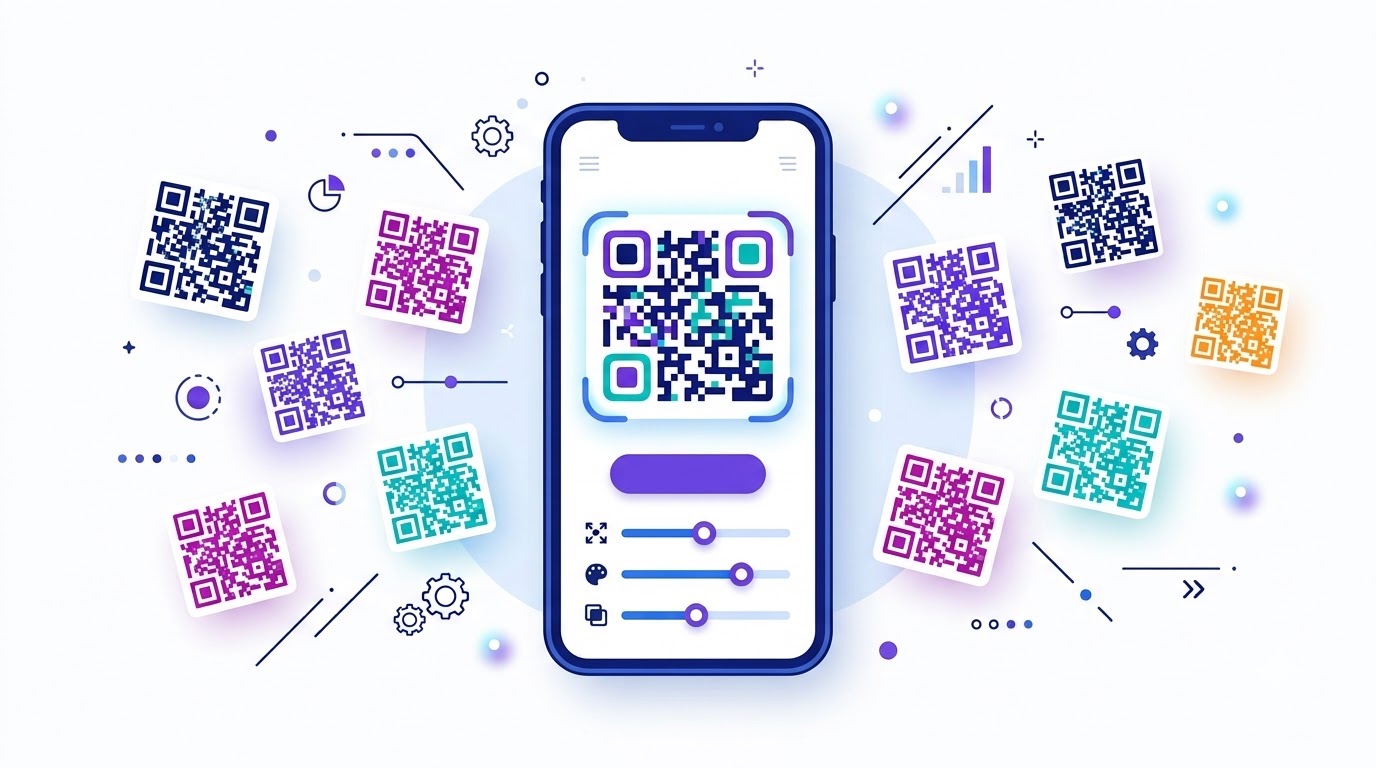
What is a QR Code?
A QR code (Quick Response code) is a two-dimensional matrix barcode invented in 1994 by Masahiro Hara at Denso Wave, a Japanese automotive subsidiary. Unlike traditional 1D barcodes that can only hold about 20 numeric characters, a QR code can store up to 4,296 alphanumeric characters or 7,089 numeric characters — enough to encode a long URL, a complete contact card, a WiFi password, or an entire block of text.
The distinctive square design is made up of:
- Three finder patterns — the large corner squares that tell scanners where the code begins
- Alignment patterns — smaller squares that help correct for perspective distortion
- Timing patterns — dotted lines that define the grid size
- Data modules — the actual payload encoded as black or white squares
- Error correction codes — Reed-Solomon codes that allow up to 30% of the QR to be damaged and still scan reliably
What Types of QR Codes Can You Generate?
The DocEasy QR Code Generator supports four major QR types, each built for a different real-world use case:
1. URL / Text QR Codes
The simplest and most common type. Encode any website URL, message, phone number, email address, or plain text string. When a user scans the QR code, their phone automatically opens the URL or shows the text.
- Marketing flyers and posters
- Business cards and brochures
- Product packaging with a website link
- Event banners with registration links
- Restaurant table cards with online menus
- Classroom handouts with resource links
2. UPI Payment QR Codes
UPI (Unified Payments Interface) has become the standard for digital payments in India. Every small shop, street vendor, auto rickshaw, and service provider now displays a UPI QR code. Our generator supports the complete UPI deep-link format:
upi://pay?pa=upiid&pn=name&am=amount&tn=note
You can generate a UPI QR with:
- Static QR — no amount preset, the customer enters the amount
- Dynamic QR — amount fixed, customer only needs to scan and confirm
- Custom payee name and note — great for invoices and service businesses
When scanned by any UPI app (GPay, PhonePe, Paytm, BHIM, Amazon Pay), the payment screen opens with your details pre-filled. No app install required for the customer.
3. WiFi QR Codes
Give guests instant WiFi access without typing passwords. When they scan the QR code, their phone automatically connects to your WiFi network.
The encoded format follows the industry-standard:
WIFI:T:WPA;S:NetworkName;P:password;;
- Hotels and guest houses
- Cafes and restaurants
- Home guest networks
- Small office WiFi sharing
- Event venue networks
4. vCard Contact QR Codes
Share your complete contact details in a single scan. When someone scans the QR, their phone immediately offers to save your contact — with name, phone number, email, and company already filled in.
- Networking events and conferences
- Sales representatives and freelancers
- Business card alternatives
- LinkedIn-style digital introductions
How to Generate a QR Code — Step by Step
- Choose the QR type: Click on one of the four tabs — URL/Text, UPI Payment, WiFi, or vCard.
- Enter your content: Fill in the required fields. For URL/Text, just type or paste your link. For UPI, enter your UPI ID, name, and optional amount. For WiFi, enter the network name and password. For vCard, enter name, phone, email, and company.
- Watch it update live: The preview QR code updates instantly as you type — no "Generate" button needed.
- Choose your download size: Pick 300px, 500px, 800px, or 1000px depending on where you plan to use it. 500px is ideal for digital sharing; 1000px is best for print.
- Download as PNG: Click "Download QR (PNG)" to save a high-definition image with a clean white background — no watermark, no logo.
- Print or share: Use the QR code on flyers, posters, packaging, business cards, or digital channels — anywhere your audience can scan it.
Why Choose DocEasy QR Generator?
- 100% free, forever: No signup, no email, no daily limit, no premium tier.
- No watermark: The downloaded QR code is completely clean and professional.
- Static & non-expiring: The content is permanently encoded in the QR pattern. It will never expire, redirect through a tracker, or stop working.
- High-definition PNG: Download up to 1000x1000 pixels — perfect for both digital and print.
- Instant live preview: See your QR code update in real-time as you type.
- Four QR types: URL, UPI, WiFi, and vCard — all in one tool.
- Privacy-first: All generation happens locally in your browser. Your UPI ID, WiFi password, or contact details are never uploaded to any server.
Are Static QR Codes Better Than Dynamic QR Codes?
The QR code industry uses two types: static and dynamic.
Static QR codes (which DocEasy generates) encode the actual content directly into the black-and-white square pattern. This means:
- They never expire
- They work offline — the scanner doesn't need an internet lookup
- No third-party server is involved in the scan
- Zero ongoing cost
- No tracking of who scanned the code
Dynamic QR codes (used by paid platforms) encode a short redirect URL. When scanned, the phone hits the vendor's server, which then forwards the user to the real destination. This allows the vendor to:
- Change the destination without reprinting the QR
- Track scan analytics
- Disable the QR when the subscription ends
Dynamic QR codes are useful for large marketing campaigns, but they also mean your code stops working the moment you stop paying, and every scan passes through the vendor's server.
For most personal, small-business, and Indian UPI use cases, static QR codes are strictly better — and that's what DocEasy gives you.
Best Practices for Printing QR Codes
Generating a QR code is easy, but a bad print job can make it unscannable. Follow these rules for guaranteed results:
- Minimum physical size: Never print a QR code smaller than 2 × 2 cm (0.8 × 0.8 inches). Below that, many phone cameras struggle to focus.
- Ideal scan distance: A rule of thumb — the QR code side should be at least 1/10th of the scanning distance. For 1 metre away, print at least 10 cm × 10 cm.
- High contrast: Always place the QR code on a white or light background. Never invert to white-on-black — most scanners fail on inverted codes.
- Quiet zone: Leave at least 4 modules of white space around the QR code. Don't let text or images touch the edges.
- Good lighting: Avoid shiny, glossy paper if it reflects light. Matte finishes work best for scanning.
- Test before printing thousands: Always print one copy and scan it with multiple phones before placing a large order.
- Use 1000px for print: For brochures and posters, choose the 1000px download option so the QR stays sharp when scaled up.
Common Use Cases in India
QR codes have become an integral part of Indian daily life, especially after the UPI payments revolution. Here are the most common real-world uses:
- Street vendors & kirana stores: Static UPI QR codes printed and pasted on the counter
- Auto rickshaws & taxis: UPI QR codes on the dashboard for instant payments
- Restaurants & cafes: QR menu codes at every table
- Cyber café & CSC centers: UPI QR codes for faster billing
- Temples & donation boxes: UPI QR codes for digital donations
- Weddings & events: QR codes for gift registries or invitations
- Schools & colleges: QR codes for attendance, library books, or admission forms
- Government forms: QR codes for verification of documents like Aadhaar, PAN, and Ayushman Bharat
- Business cards: vCard QR codes for instant contact saving
- Hotels & homestays: WiFi QR codes in rooms and reception areas
- Small e-commerce brands: QR codes on product packaging for brand engagement
- Digital invoices: UPI payment QR codes on PDF invoices for instant settlement
QR Code Security — Stay Safe
QR codes are convenient, but they have also been misused by scammers. Follow these safety practices:
- Preview the destination: Before scanning an unknown QR code, use our QR Code Scanner to see what's inside.
- Look for tampering: If a QR sticker looks pasted on top of another, treat it with suspicion.
- Verify UPI recipient: Always check the payee name shown inside your payment app before confirming.
- Avoid public WiFi QR codes that ask for banking credentials.
- Never scan a QR from an unsolicited email or message — that's the most common phishing tactic.
Privacy and Security
DocEasy QR Generator runs entirely in your browser. When you type your UPI ID, WiFi password, or contact details, that information is never transmitted anywhere — it is encoded directly into the QR image on your device using a client-side library. When you close the browser tab, everything is gone from memory.
This makes DocEasy safe for sensitive information like bank UPI IDs, personal email addresses, and private WiFi passwords.
Frequently Asked Questions
Is the DocEasy QR Code Generator really free?
Yes — 100% free, forever. No signup, no email, no daily limits, no watermark, no hidden premium tier.
Do my QR codes expire?
No. DocEasy generates static QR codes — meaning the content is permanently encoded in the black-and-white pattern itself. They will never expire, redirect, or stop working, even years later.
Are my QR codes tracked?
No. Static QR codes don't go through any server. When someone scans your QR, their phone reads the content directly with no third party involved. There is no analytics, no tracking, and no log of who scanned it.
Can I use these QR codes for commercial printing?
Absolutely. Download the 1000px version for posters, banners, brochures, product packaging, or any print material. The image is watermark-free and high-contrast, so it prints cleanly on any paper or sticker.
What is the best size to download?
For digital sharing (WhatsApp, email, websites), 500px is ideal. For small print (business cards, table cards), 800px works well. For large prints (posters, banners), choose 1000px.
Can I add my logo or brand colour to the QR code?
Currently DocEasy generates clean black-and-white QR codes. Adding a logo or brand colours can reduce scan reliability, especially when printed small. For brand-embedded QR codes, we recommend using a dedicated design tool while keeping the centre clear so scanners can still decode it.
Why does my UPI QR not work on some apps?
Ensure the UPI ID is correctly formatted (e.g., yourname@okhdfcbank). Some older apps may have bugs. Test your QR with at least two different UPI apps (GPay, PhonePe, Paytm) before printing and distributing it.
Can I generate QR codes for phone numbers and SMS?
Yes. For a phone number, enter the plain number in the URL/Text field. For advanced formats like tel:+91XXXXXXXXXX, mailto:[email protected], or smsto:number:message, just paste the full URI in the text field — the QR generator will encode it correctly.
What happens to my data after I close the page?
Nothing is stored. All content is generated in your browser's memory and discarded when you close the tab. Nothing is uploaded, logged, or saved anywhere.
Does the QR generator work offline?
After the page loads once, yes. The QR encoding library runs entirely in your browser. You can disconnect from Wi-Fi and continue generating and downloading QR codes.
Related DocEasy Tools
- QR Code Scanner — Scan any QR code from camera or image
- Invoice Generator — Add UPI QR codes to your professional invoices
- ID Card Cropper — Aadhaar, PAN, Voter ID at 300 DPI
- Document Scanner & OCR — Scan paper documents to digital PDFs
- Merge PDF — Combine multiple PDFs into one file
- Resume Builder — Create a professional ATS-friendly CV
Conclusion
QR codes are now an essential part of daily commerce, communication, and identity in India and worldwide. The DocEasy QR Code Generator gives you a free, private, and fast way to create unlimited QR codes — for URLs, UPI payments, WiFi sharing, and vCard contacts — with clean high-definition downloads and zero watermarks.
No signup. No fees. No tracking. No expiration. Just enter your content, choose your size, and download. Bookmark this page and use it whenever you need a QR code, whether for a business flyer, a UPI payment counter, a WiFi sign at home, or a digital business card.